Prepare a GitHub repository
for Claude, ChatGPT, or Gemini
Paste a repo link, select the files that matter, and get a clean AI-ready context file — without cloning anything or leaving your browser.
Why repos are awkward to hand to an AI
AI coding assistants reason much better with full project context — but there's no clean way to just give them a GitHub repo. Cloning locally, opening every file, and pasting them one by one works, but it's slow and easy to miss files that actually matter for the task.
Dumping the entire repo isn't much better — you end up burning context window on lockfiles, build output, and generated code the model doesn't need. repoprep sits between those two extremes: fetch the tree, filter the noise automatically, and pick only what's relevant.
How the GitHub/GitLab workflow works
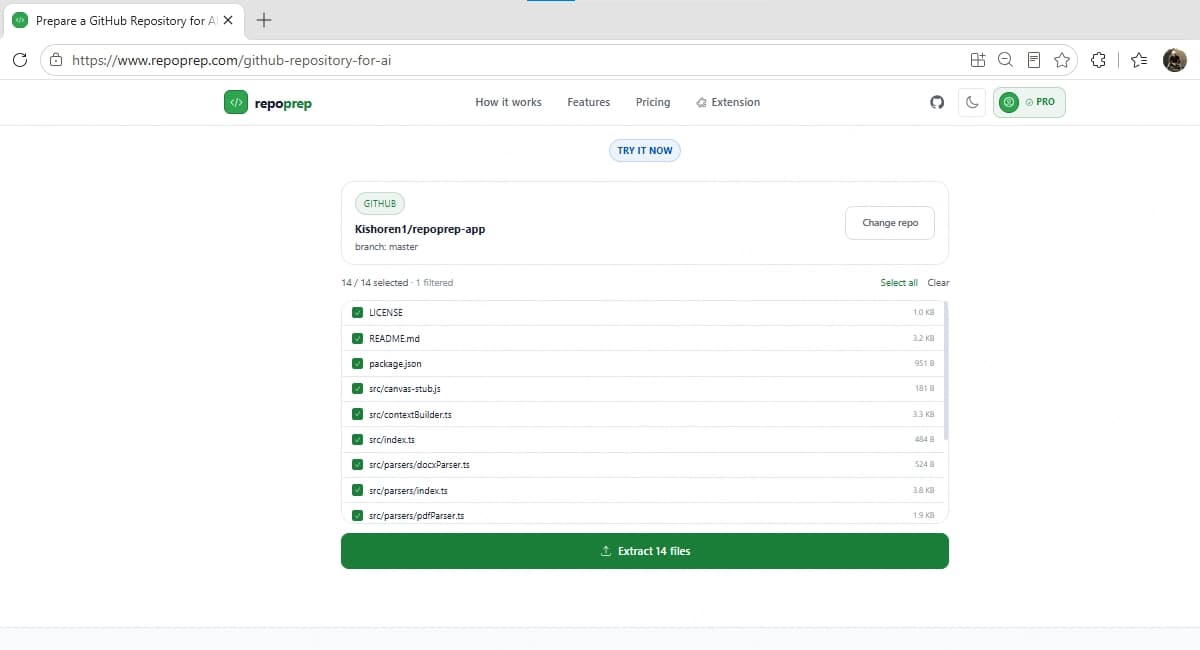
Paste a GitHub or GitLab repo URL
Public repositories only for now. Works with a branch or subfolder URL too — e.g. .../tree/main/src.
Need private repositories?
The web tool works with public repos only. For private repos, use the repoprep Chrome extension — it runs on the repo page itself and uses your existing GitHub session, so nothing needs a token or a separate login. Processing still happens 100% locally; the parsing engine is open source if you want to verify that yourself.
Common questions
Do I need to clone the repository first?
No. Paste the GitHub or GitLab URL and repoprep fetches the file tree directly from the public API — no git clone, no local checkout.
Does this work with private repositories?
The web tool works with public repos. For private repos, use the repoprep Chrome extension while browsing the repo page on GitHub — it uses your existing logged-in session.
Can I select a specific folder or branch?
Yes. Paste a branch URL (…/tree/main) or a subfolder URL (…/tree/main/src) and repoprep scopes the context to that branch or folder automatically.
What happens to node_modules, build output, and lockfiles?
They're filtered out automatically before you even see the file list — along with .git, dist, build, and other noise directories — so you only select from files that actually matter.
Is my repository ever uploaded to a repoprep server?
No. Files are fetched directly from GitHub/GitLab's API into your browser and assembled there. repoprep has no backend that stores repository content.
Working from a local folder or ZIP instead of a hosted repo?
See the local-project workflow →